adapting and duplicating support modes as a Van Raam Dealer

News

Adapting and duplicating support modes as a vanRaam dealer

Tips \ Service
vanRaam
adapting and duplicating support modes as a Van Raam Dealer

As a dealer, service is an extremely important factor. From time to time it happens that customers need different settings in the pedal support, depending on the disability and needs. Learn in this article how you as a dealer can customize bicycle support modes and duplicate them.

vanRaam Dealer

vanRaam has as a bicycle manufacturer of adapted bicycles in more than 20 countries, dealers who sell adapted bicycles. Furthermore, they deliver them, take care of the service and arrange the warranty. The custom bikes can be purchased worldwide. As a dealer it is important to provide good service and to adjust settings individually if necessary. As this provides the customer with the best possible service. Would you like to know more about dealers and the different types of vanRaam dealers? Then read the article "Find a vanRaam dealer near you". If you have any questions, you can always contact your dealer or contact vanRaam.

Find a dealer

As vanRaam dealer, adapt and duplicate support modes

Watch the following video to see how you as a dealer can customize and duplicate a support mode from a vanRaam bicycle in the vanRaam dealer tool.

vanRaam bicycles - adapt and duplicate support modes

vanRaam bicycles - adapt and duplicate support modes

What are support modes?

Support modes are bike programs in which bike settings are stored. These must be adapted and duplicated on the computer, then they can be imported into the pedal support system via the computer or app. The support modees can only be adapted if they are duplicated. These adjustments and the duplication can only be done as a dealer. The standard modes, Eco, Eco+, Comfortabel, Power and Extra Power can be duplicated and adapted as there are customers where the standard settings are not compatible because the needs are different. This is for example if a person has only one leg or one leg has less strength, then the programs can be optimally adapted to the needs of the customer.

Video vanRaam bicycles - adapting and duplicating support modes

In the following you can read step by step what you can see in the video above, so as a vanRaam dealer you can bike customize and duplicate support modes.
Step 1:

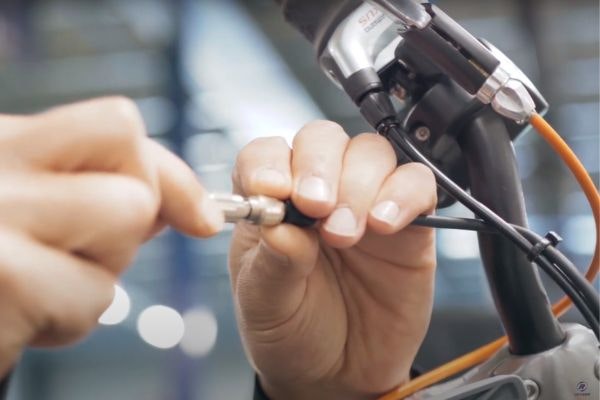
To modify and duplicate support modes, your bike must be connected to the vanRaam software. Do you want to know how that works? Watch the video in the article "In 7 steps connect and read out vanRaam dealer tool".


Step 2:

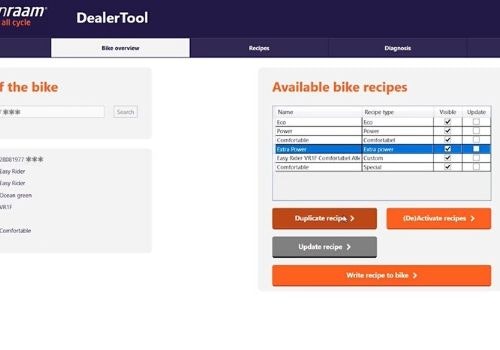
Select the support mode you want to duplicate. By clicking on the desired support mode.


Step 3:

You are automatically redirected to the page with the support modes.

Van Raam dealer tool customize and duplicate recipes selected

Step 4:

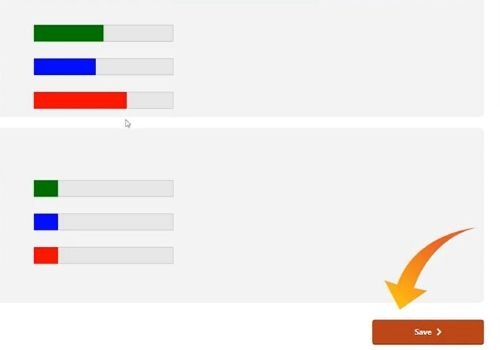
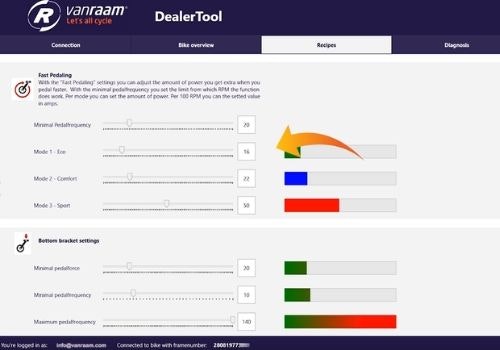
The settings of the selected support mode (duplicated support mode) are now visible below.

Step 5:

The settings can now be changed as desired.

Step 6:

The settings can be adjusted by moving the button on the scroll bar. Do not forget to activate the checkbox 'visible in the application' when saving. 

adapting and duplicating support modes as a Van Raam Dealer

Step 7:

When you have adjusted all settings to your needs, save them by clicking the 'Save' button.

Step 8:

You will find the saved support mode under "Available bike support modes".

Step 9:

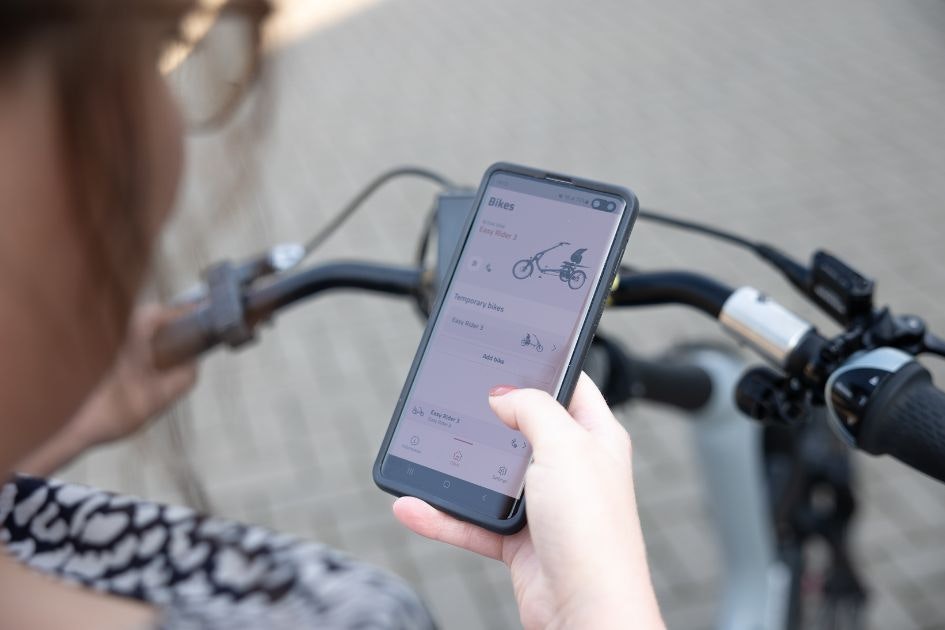
From the software you can send the information to the bike. The support mode can now also be found in the e-bike app.

Van Raam dealer tool customize and duplicate recipes saving

In 7 steps connect and read out vanRaam dealer tool

Would you like to learn how a vanRaam dealer can connect and read out a vanRaam bicycle with the vanRaam dealer tool? Learn more about this in the article and in the related video: "In 7 steps connect and read out vanRaam dealer tool" As a vanRaam dealer it is important to be able to connect and read out a bicycle well. This is important to know in order to provide a good service to customers. As a customer it is interesting to know that this is possible. 

Connect in 7 steps

Install and test new components

When a new motor or controller is installed on a vanRaam bicycle it must first be installed and tested. As the service of a dealer is very important to ensure the mobility of the customer, vanRaam gives in this video and article a detailed instruction how to do this exactly and thus provide the best performance of the system for the customer. So in the article "vanRaam bike install and test new components" and accompanying video you will learn how you, as a dealer, can read and test new components. 

Install and test new components

Connect your adapted bike with the vanRaam E-Bike App

In this article "Connect your adapted bike to the vanRaam e-bike app" and video you will learn how you as a vanRaam bike owner and also as a dealer, this can be relevant for service services, can connect an electric vanRaam bike to the E-Bike App.

Connect to e-bike app

Van Raam logo
Written by
vanRaam

Recommended articles

In 7 steps connect and read out vanRaam dealer tool

In 7 steps connect and read out vanRaam dealer tool

As a vanRaam dealer it is important to be able to read and connect a bicycle properly. This is important to know in order to provide customers with a good service. As a customer it is interesting to know that this is possible. In this article and in the related video you can learn how a vanRaam dealer can connect and read out a vanRaam bicycle with the vanRaam dealer tool.

E-bike app vanRaam app on smartphone

Changing support modes in the vanRaam e-bike app

You can not only adjust the assistance on your bike as a dealer. Read in this article how you can adjust your pedal support yourself via the vanRaam E-Bike App.

Van Raam bike install and test new components pedal test

vanRaam bike install and test new components

When a new motor or controller is installed on a vanRaam bicycle it must first be installed and tested. As the service of a dealer is very important to ensure the mobility of the customer, vanRaam gives in this video and article a detailed instruction how to do this exactly and thus provide the best performance of the system for the customer. So in this article and accompanying video you will learn how you, as a dealer, can read and test new components.

vanRaam pedal assist silent smart display

Frequently asked questions vanRaam App

Find answers to your questions about the E-Bike app or your Smart E-Bike.

Do you have any questions?

We are happy to assist you! Please check our contact page or contact us directly using the options below.