
In 7 steps connect and read out vanRaam dealer tool

News

In 7 steps connect and read out vanRaam dealer tool

Shopping \ Dealers
vanRaam
In 7 steps connect and read out vanRaam dealer tool

As a vanRaam dealer it is important to be able to read and connect a bicycle properly. This is important to know in order to provide customers with a good service. As a customer it is interesting to know that this is possible. In this article and in the related video you can learn how a vanRaam dealer can connect and read out a vanRaam bicycle with the vanRaam dealer tool.

vanRaam dealer for customers

As a manufacturer, vanRaam has dealers in more than 20 countries, who sell vanRaam's adapted bikes. Furthermore, they also deliver them take care of the service and arrange the warranty. Our adapted bikes can be bought worldwide in America, Australia, Israel, Iceland, Norway, Spain, Italy and other countries. Find your nearest vanRaam dealer and ask for a test ride. Learn all about the different vanRaam dealers and see where you can find a vanRaam dealer near you.

If you have any questions, you can always contact your dealer or contact vanRaam.

Search a dealer

Connect and read out the dealer tool as a dealer

As a dealer it is important to be able to read and connect a bike properly in order to be able to adjust the bike to the customer's individual needs and thus provide the best possible service.
Take a look at the vanRaam service video below and see how you as a dealer can connect and read out a vanRaam bicycle correctly.

Connect and read out vanRaam Dealer Tool

Connect and read out vanRaam Dealer Tool

For dealers step by step guide to connect with dealers Tool

In the following you can read step by step what you can see in the video above and learn how to connect the bike to the right way.

Step 1:

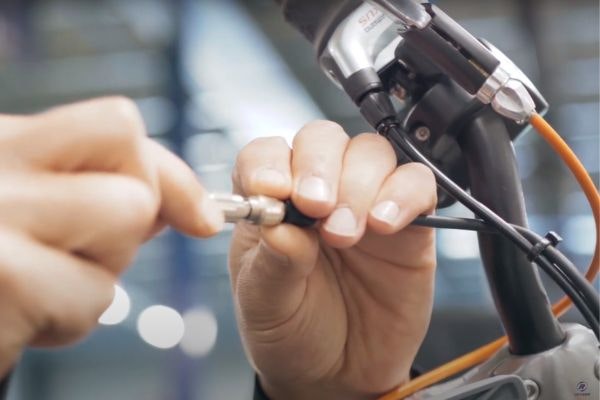
Connect your silent parameter cable to the display cable. To do this, first unscrew the display cable from the display. You do not have the Silent Parameter Cable? Then you, as a dealer, can order it from vanRaam with article number 103-5111.

Step2:

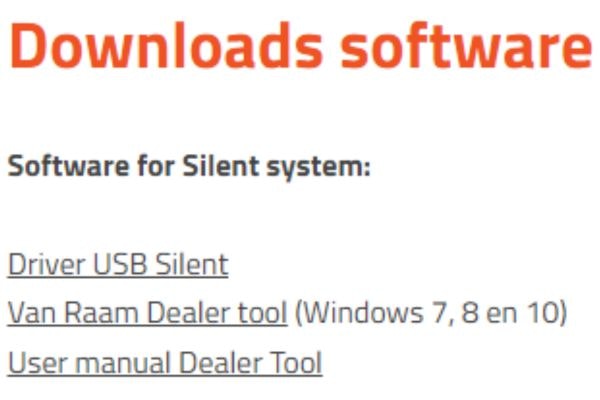
Go to the pedal support page on the vanRaam website. Here you scroll to the bottom of the page until you reach the "Download Software" section. 

In 7 steps connect and read out Van Raam dealer tool

Step 3:

Then download the "vanRaam Dealer tool" program by clicking on the underlined link.

Step 4:  

Open the dealer tool after it has been downloaded. 

Van Raam Dealer Tool downloading

Step 5:

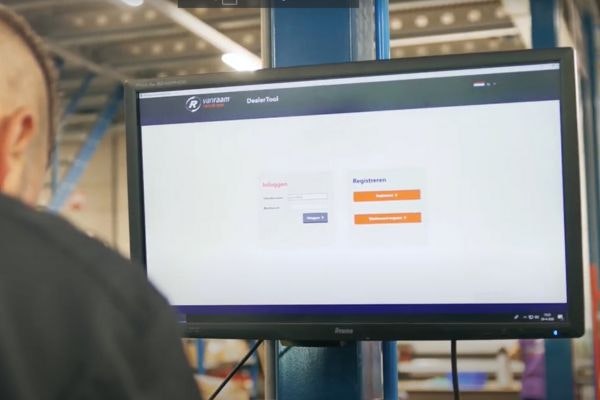
Log in to the Dealer Tool with your Dealer Username and Dealer Password. You need a dealer account to use the vanRaam dealer tool. Don't you have a dealer account yet? Then register on the vanRaam portal.

Van Raam dealer tool log in

Step 6:

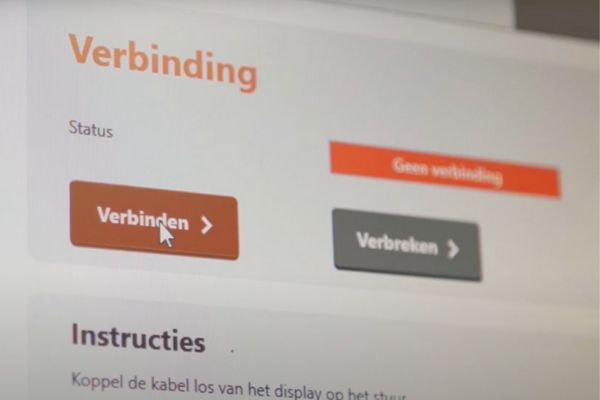
Once you have logged in, the bike will automatically connect to the system. If this is not the case, repeat the first step.


Step 7:

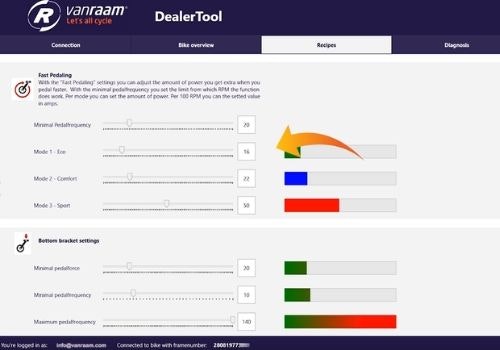
You are now successfully connected to the vanRaam bicycle. You can now view all the bike data.

Van Raam Dealer Tool Connect and Read Out

Change support modes in the dealer tool

From time to time it happens that customers need different settings in the pedal support, depending on the disability and needs. Do you want to customize support modes in the dealer tool? To change and duplicate support modes, your bike must be connected to the vanRaam software. Learn how you can duplicate and customize bicycle support modes, programs, in the article and video:"Adapting and duplicating support modes as a vanRaam dealer“

Change support modes

adapting and duplicating support modes as a Van Raam Dealer

Install and test new components

When a new motor or controller is installed on a vanRaam bicycle it must first be installed and tested. As the service of a dealer is very important to ensure the mobility of the customer, vanRaam gives in this video and article a detailed instruction how to do this exactly and thus provide the best performance of the system for the customer. So in the article "vanRaam bike install and test new components" and accompanying video you will learn how you, as a dealer, can read and test new components. 

Install and test new components

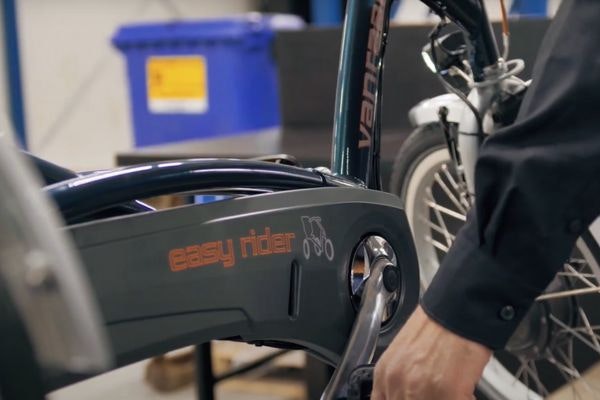
Van Raam bike install and test new components pedal test

Connect your adapted bike with the vanRaam E-Bike App

In this article "Connect your adapted bike to the vanRaam e-bike app" and video you will learn how you as a vanRaam bike owner and also as a dealer, this can be relevant for service services, can connect an electric vanRaam bike to the E-Bike App.

Connect to e-bike app

vanRaam pedal assist silent smart display
Van Raam logo
Written by
vanRaam

Recommended articles

adapting and duplicating support modes as a Van Raam Dealer

Adapting and duplicating support modes as a vanRaam dealer

As a dealer, service is an extremely important factor. From time to time it happens that customers need different settings in the pedal support, depending on the disability and needs. Learn in this article how you as a dealer can customize bicycle support modes and duplicate them.
Van Raam bike install and test new components pedal test

vanRaam bike install and test new components

When a new motor or controller is installed on a vanRaam bicycle it must first be installed and tested. As the service of a dealer is very important to ensure the mobility of the customer, vanRaam gives in this video and article a detailed instruction how to do this exactly and thus provide the best performance of the system for the customer. So in this article and accompanying video you will learn how you, as a dealer, can read and test new components.

vanRaam pedal assist silent smart display

Connect your adapted bike to the vanRaam e-bike app

The vanRaam bike/e-bike app is a free app for the smartphone. Learn in this article how you can connect an electric vanRaam bicycle to the e-bike app, as a vanRaam bicycle owner and also as a dealer, this can be relevant for service related support tasks.

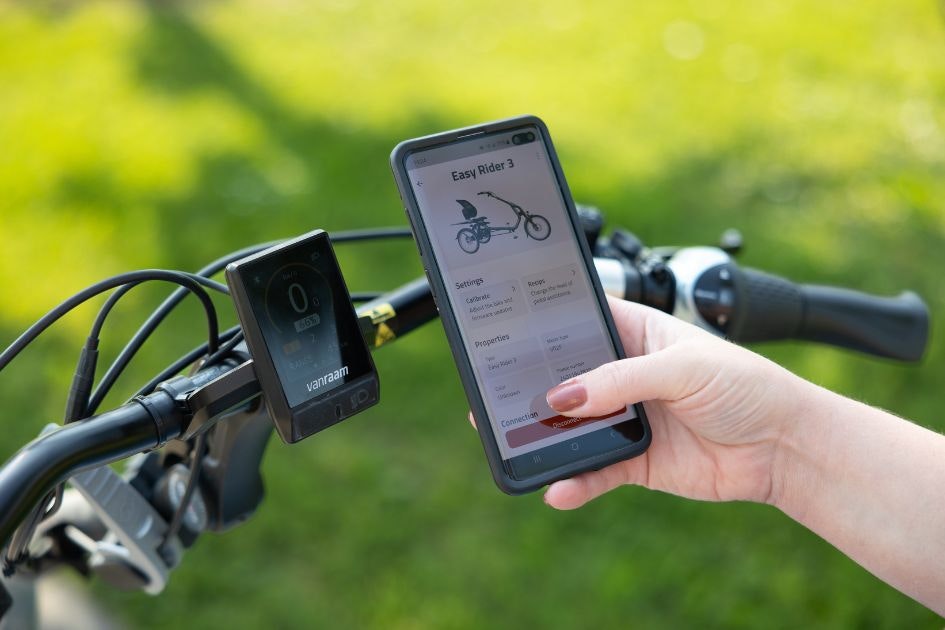
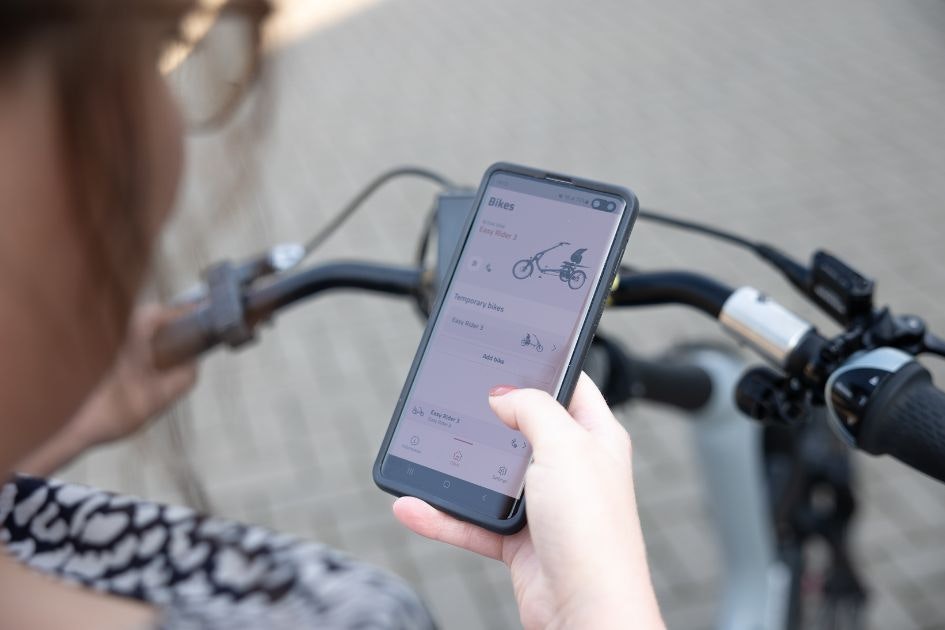
E-bike app vanRaam app on smartphone

How does the vanRaam e-bike app work?

vanRaam bicycles with pedal assistance are smart e-bikes. These can be connected to the vanRaam e-bike app. In this article, we'll tell you more about some of the features of this app and how it works.

Do you have any questions?

We are happy to assist you! Please check our contact page or contact us directly using the options below.