The vanRaam app
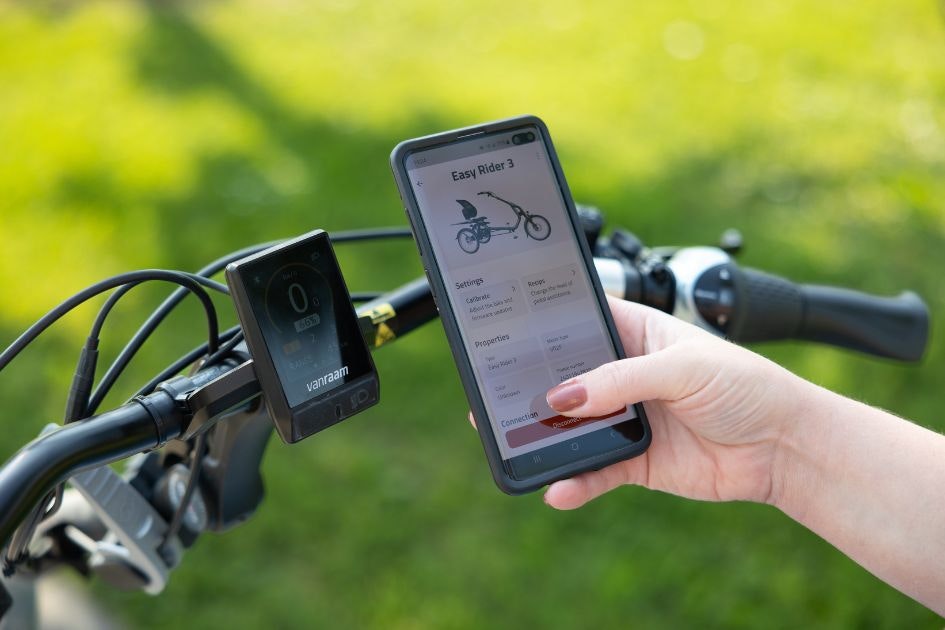
The vanRaam app puts your smart e-bike in your hands. Free to download, easy to use, and available for all vanRaam electric bikes delivered from 2019 onwards.
What can the vanRaam app do?
The vanRaam e-bike app connects to your bike via Bluetooth, giving you control and information at a glance. Once connected, you can:
Switch between pedal assist modes to suit the ride ahead
Check your battery level and remaining range
Track how far you've cycled in total
View your bike's details: model, colour, motor type, and frame number
Getting connected
The vanRaam app is a free download from the Google Play Store or Apple App Store. Once installed, open the app with your bike switched on. A Bluetooth icon will appear on the Silent Smart display when it's ready to pair. On bikes from before 2024, the on/off button briefly turns blue. Follow the in-app prompts to complete the connection.
Adjust your electric tricycle app settings on the go
Heading somewhere hillier than usual? Going away for a few days? The vanRaam app lets you adjust your assistance programme directly from your phone, so your bike always feels right for the conditions. It's one of the things that makes the vanRaam a genuinely smart e-bike, not just a bike with a motor.
Compatible bikes
The vanRaam app works with all vanRaam e-bikes delivered from 2019 onwards. Older models are not compatible due to differences in display and controller software. If you're unsure whether your bike is compatible, your local dealer can advise.
Need help?
Visit our FAQ page for answers to the most common questions about the vanRaam app and connecting your smart e-bike.